
0
Completed
Option to display whitespace
In the File Compare window, there is a useful option (under View > Settings > General : Show Whitespaces) that allows displaying a · (middle dot) for spaces and » for tabs, making it super easy to spot whitespace differences, e.g. when the wrong indentation is used.
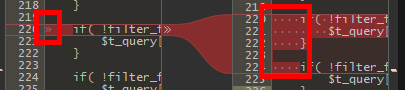
It would be really nice to have the same functionality when viewing changes in the main SmartGit window as well.
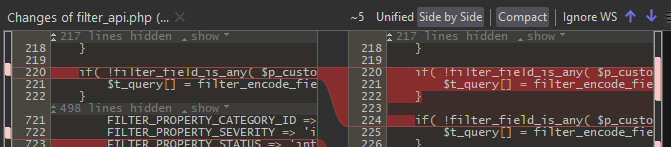
As a bonus: make the setting in File Compare persistent. At the moment (version 25.1.102), it has to be set every time a new window is opened.
Many thanks !
Customer support service by UserEcho


In the Hamburger menu of the Changes view you can find a "Settings" menu item. There you can select to show all or trailing/selection/changed whitespaces. To make the setting permanent, please use "Remember as Default".
Awesome, thank you for the fast reply Thomas. That's perfect ! I just did not expect to find the setting there, but now that you pointed me to it, I suppose it makes sense.
I guess this RFC can be closed, then.