
+1
Implement "flashing on taskbar" red/orange highlighting to make user aware of failed Git operations
When a Git push fails e.g. due to a server side error (e.g. "non-fast-forward") while SmartGit is minimized (I often click push, then continue working on the next topic), the icon of SmartGit does not show that a problem occurred on Windows, it looks totally normal:

For that reason, it is easy to miss that there was a problem with the attempted operation. Only when clicking on the SmartGit icon in the taskbar again, the problem becomes apparent:
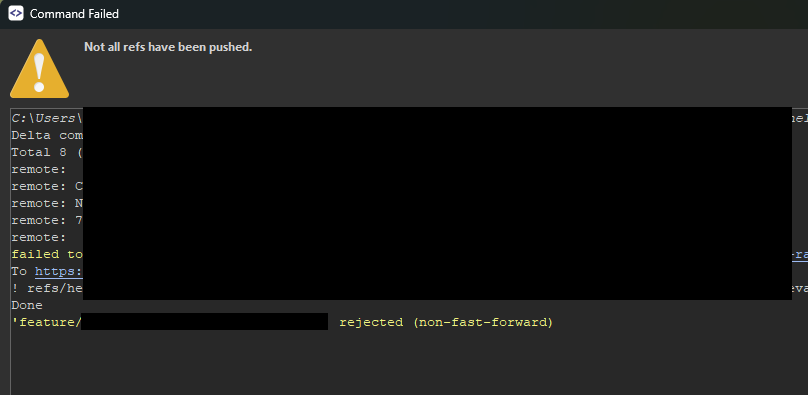
Windows has a feature called "flashing on taskbar" which will make the icon display in red/orange to make the user aware that the app requires his or her attention. Would be great if SmartGit could implement to activate this when the error view opens up.
Customer support service by UserEcho


I have a similar problem also with missing the "master password" prompt when Smartgit is minimized. There should be some notification to the user that Smartgit did not finish the operation and is requiring user attention.
What I do is e.g. try to push my latest changes, then minimize Smartgit to continue work on the next topic. After a while I check Smartgit again and notice that the push actually did not go through due to the "master password" prompt.