Your comments
Yes, I often need to cross reference specific commits or branches in several places, this would be ultra helpful (at least to be able to copy the link).
Currently I can only find "(open)" which opens in github next to the commit sha1 on the commit panel of the log view from the working tree window (A) ; but I'd like to have this especially
- (B) when right clicking a commit in the journal panel of the working tree view
- (C) in the history tab of the standard window, in the right click menu when clicking a commit AND next to the commit SHA1 of the commit view (similar to (A)
Examples below :
(A)
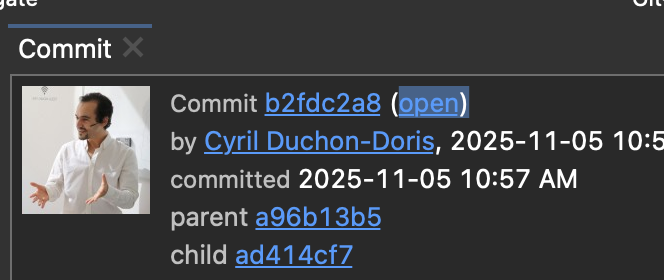
(B)
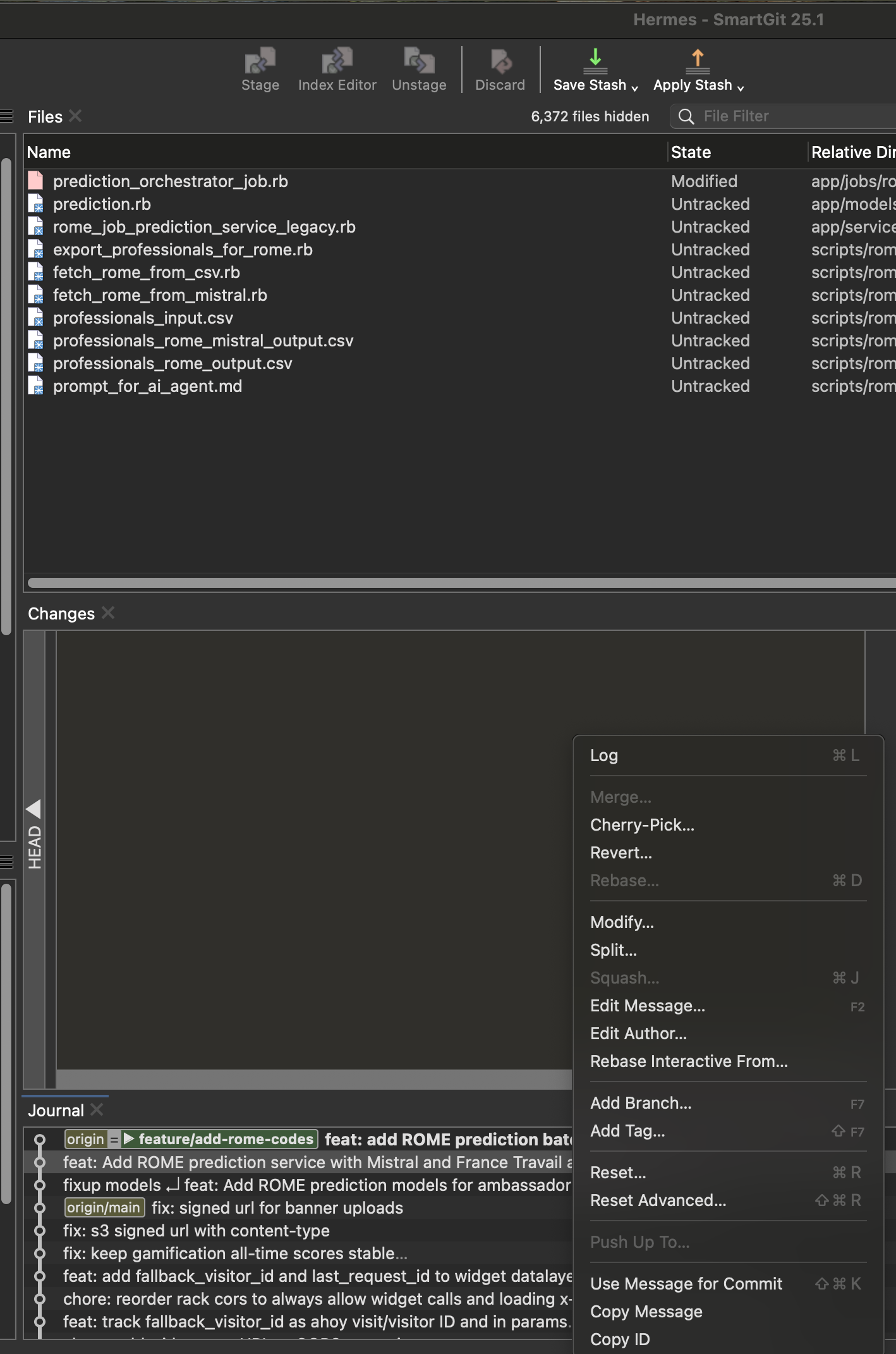
(C)

Customer support service by UserEcho


I am not sure from which view you are attempting this, but when I am on the discover view,
- On the repositories panel, when I right click > remove a worktree (created from claude), it does not ask at all to remove the worktree and just remove the "shortcut"
- On the branch panel, when I double click a branch that has a corresponding worktree, it switches me to the worktree, does not let me do anothing else. This is inconvenient when I wanted to keep the current repository (for example when I have a running npm process I want to hot reload on a different branch) and just wanted to switch to the same branch that ran under a worktree