Your comments
Hello,
Here's an example in PHPStorm :
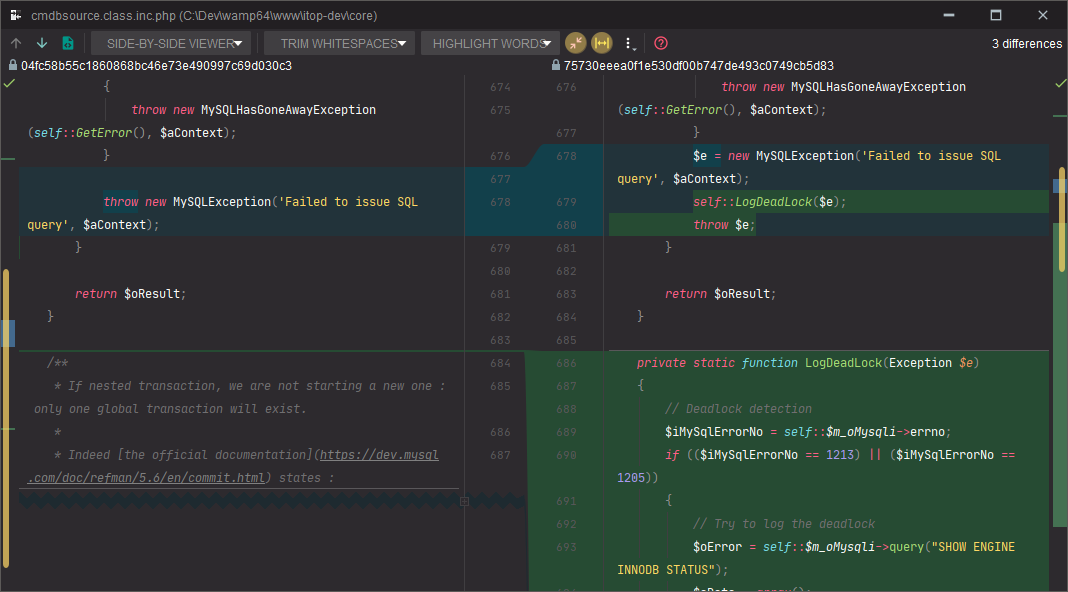
Many thanks, I'll have a look !
I totally agree ! Same for me.
Hello,
As stated in the description (apart from the commits with same message that are colored in the interactive rebase dialog, it wasn't the case at this time and it's a feature I love 8) ), this is what I do now. But doing this 2 or 3 times in a row is painful... Having a mean to do it in one click would be a very nice feature for me !
When clicking on the commit sha in the details view you're get the whole sha copied to the clipboard. For me it would be perfect to have the short sha instead of the whole... So 2 suggestions :
* simply add an option to determine which sha is copied
* add a + icon next to the short sha : when clicking on it display the whole sha and replace + by -. When clicking on the sha if the short version is displayed, copy the short version, if the long version is displayed, copy the long version
I agree :)
But sorry I'm just able to comment, so I can't change this topic title :/
I've just created another one for the author picking : https://smartgit.userecho.com/communities/1/topics/961-commit-edit-author-command-allow-to-pick-author-from-log
Hello,
Indeed "set author" allows to set "by" to someone I want, and "commited" stays to myself.
But there are 2 points left :
* I would love to be able to just pick an author from a list, instead of typing everything myself
* it would be nice to be able to set multiple authors
Not all of the commits contains an emoji, but important commits do !
Also, you can just use one subset of GitMoji...
What is important is to add something to your log, easing the identification of important commits. You won't use it just as a toy, but as a tool :)
Emoji support in git clients and git web apps is pretty low for now (certainly just a matter of fonts used to display the commits messages). It's almost mandatory to use GitHub codes instead of characters - for example :bug: instead of 🐛.
Customer support service by UserEcho


Hello,
Can you explain a bit more why you are pushing to a branch remotly, and don't want that branch locally ?
I'm quite surprised, never had to do that...