Share your ideas on how to improve SmartGit!
This is no support platform! To report bugs or request support, please contact us directly. If in doubt ask us.
First search for a similar request and add your votes or comments there.
Take the time to describe your request as precisely as possible, so users will understand what you want. Please note that we appreciate your time and input, but we don't give any guarantees that a certain feature will be implemented. Usually, a minimum requirement is a sufficient number of votes. Hence, please don't comment like "when will this be implemented", but vote instead.
Follow the stackoverflow.com writing guidelines.
Thank you for your help!

Partial Clone support (Git 2.19 and higher) [SG-13863]
Support for the new "partial clone" feature of Git, as described at:
https://git-scm.com/docs/partial-clone
For SmartGit, this especially means to fetch missing blobs on-demand (status, Log display, ...).
Related topics:

Refresh (WT): per-repository option to ignore scanning of submodules
I'm doing embedded development, and my main repository has lots of enormous submodules (Linux, U-Boot, Buildroot). Even worse, I'm working on a networked drive. The results: updates sometimes take a minute or more.
I'd like to have a project-level option to ignore submodule contents. When necessary, I can open the submodules separately and update them that way, but most of the time I won't need to make submodule changes.
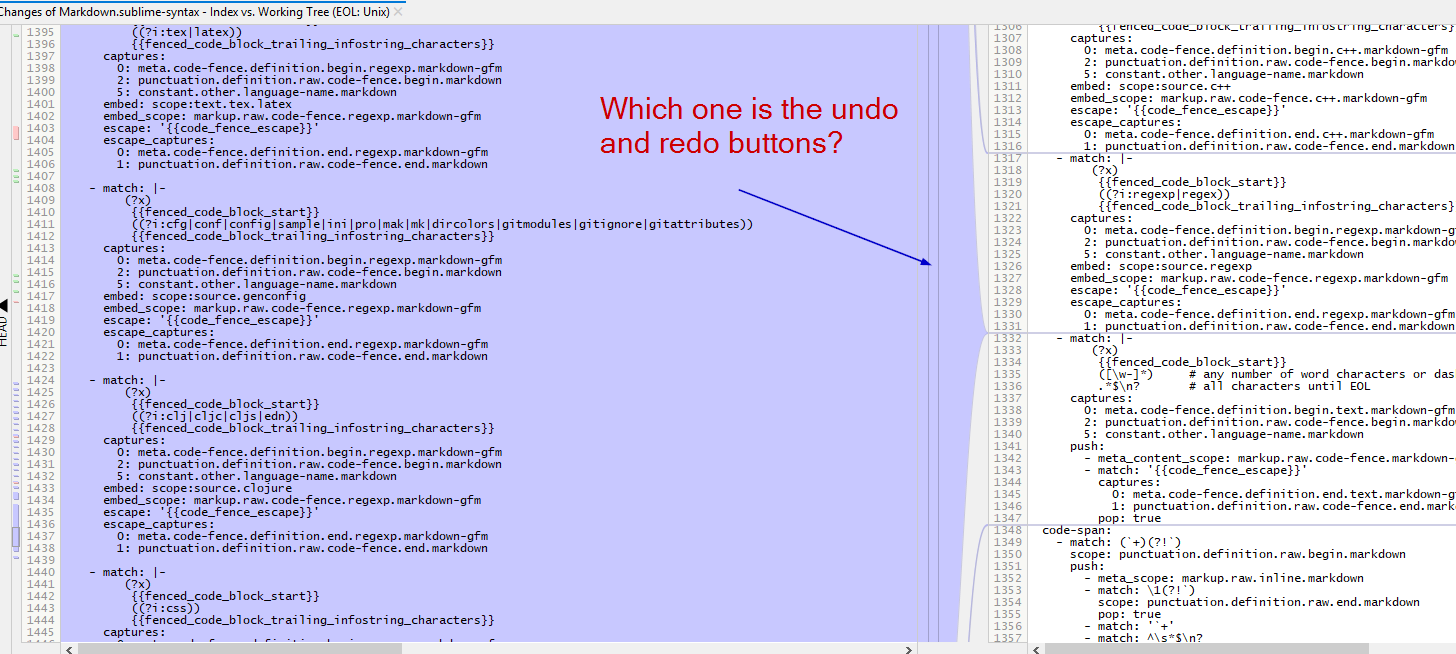

Please, stop making the `continue` rebase button forcing me to commit untracked files
For example, I just had went back on history where some directories were not on `.gitgnore`:
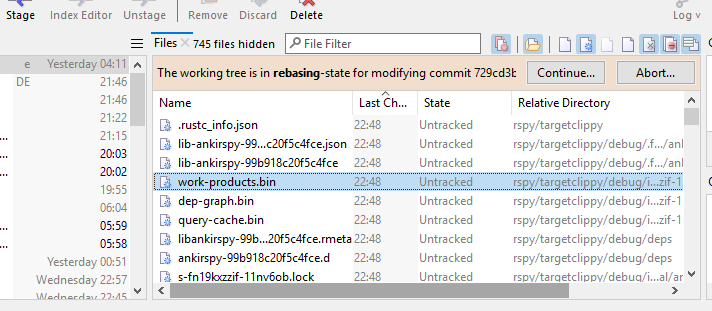
But now I just cannot continue rebasing because Smartgit `Continue` rebase button is making/keeps opening the `Commit` dialog.
Not so far ago, Smartgit would be smart and just ask whether I would like to commit the unstaged files, but now it just becomes an insane/senseless application, version: 20.1.1 #15128
The only for me to get out of this nonsenseless is to open the command line and directly run `git rebase --continue`
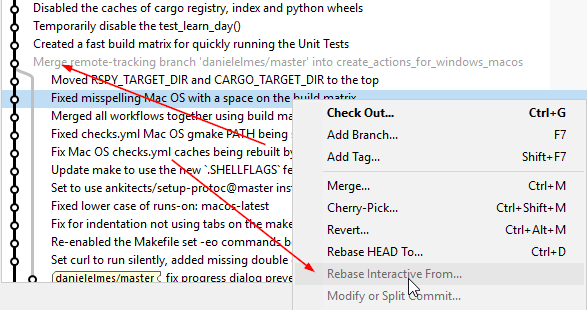
Allow Rebase Rebase Interactive before a merge commit
Every time I would like to smash some commit, remove or move it up and down, I have to use the command line with the command `git rebase -i --preserve-merges HEAD~n` because the SmartGit interface does not allow to rebase things before merge commits:

Fast forward merge: support for multiple branches
Please add a way to quickly fast-forward merge multiple branches.
In the "branches" view, if I have multiple branches selected, I would like to be able to right click -> fast-forward merge.
If I right click on "local branches", "origin", or similar, I would like to be able to fast-forward merge them all.
My reason for this is when I like to keep a separate clone that doesn't have any of my local changes in it. I use this to do merging operations that my have conflicts with my current working tree. Or to have a clean copy to run comparisons with. However, this gets out of sync with the upstream frequently since I'm not active in it.

File Compare: Force Text option
When I compare two text files that SmartGit detects as binary there is the option Force Text (top right above the file compare subpanel) in the main SmartGit window.
When I double click on the file I get the differences between the two files but there is no option to Force Text. Is it possible to add the Force Text action in the main File Compare window?

Log, Graph: allow sorting by author date as well as commit date
In the graph window, the option to 'Sort by Time' will use the commit date/time. It would handy to be able to specify the author date/time as well when comparing two branches to identify which commits are shared and which have not been merged.


Log, Files view - add option to show files non-recursively
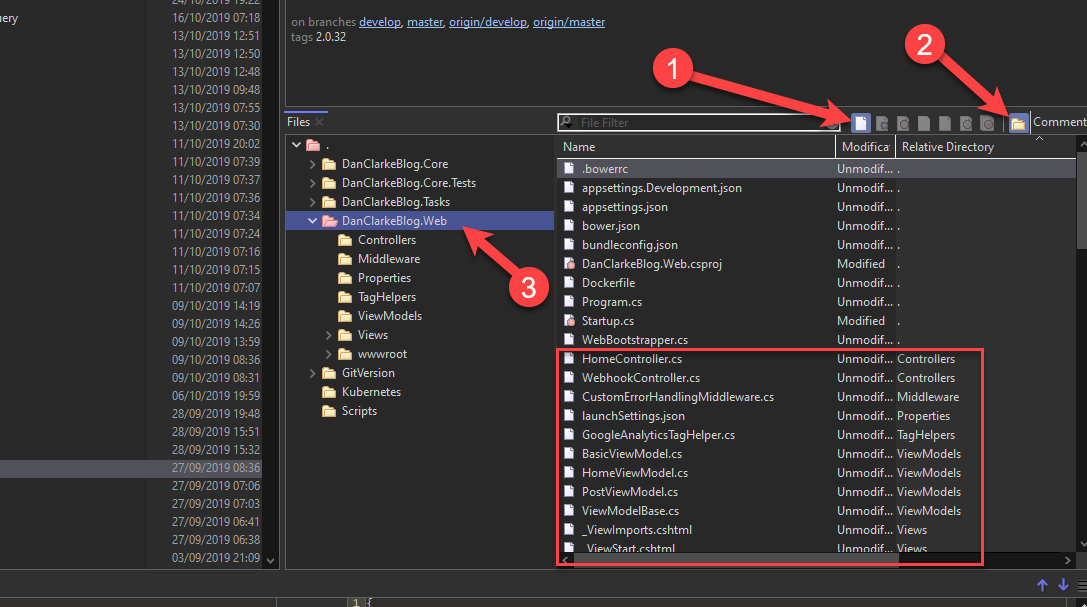
The one and only feature that I switch to other Git Clients for (either Git Extensions or Git Fork, but I think others support this too), is the ability to click on an arbitrary commit in the log and browse the directory structure and files of the project at that point in time. Both the above-mentioned Git clients have a "file tree" view which does this. SmartGit is very close in that in the 'files' view, I can click on icons 1 and 2 in the screenshot below. However, the listing is also showing files in subdirectories. Ie. When I click on 3, I don't want to see the files in the red box.
Customer support service by UserEcho