Your comments
For me the left side is very hard to read.
Yes, the line
graph.merge.text=#808080
should cause the effect.
You may change the colors according to your needs in the preferences.
Where you would expect to see this feature - in the Log (having stash files selected) or should the Apply Stash command should list all files for the index, working copy and untracked files)?
It is using the interactive rebase in 17.1 preview.
UTF-8 can be detected automatically, even without BOM. Could you please sketch how the encoding is configured in Eclipse, especially for all team-mates?
There only is whitespace below the last item in this tree control. If the repository has grown out of the starting state, there usually is no such whitespace.
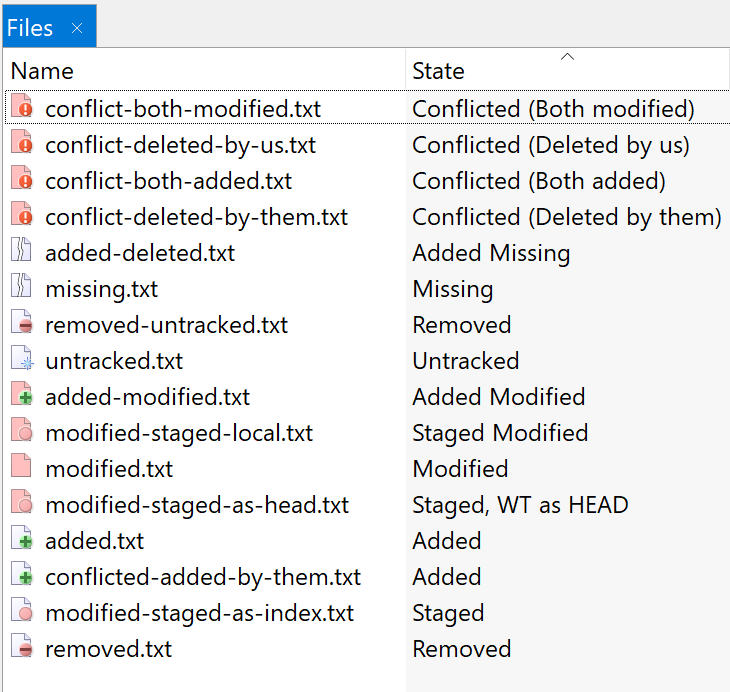
Well, currently, we use the light-red color for modifications, the green (+) for addition and the light red (-) for removal. Changing something like this at this state of the application would mean that a VERY large number of users would have to learn new colors which could frustrate a major part of them.
Where exactly do you click and why do you consider this to be intuitive?
Customer support service by UserEcho


This requires a Git server configuration. Nothing that can and should be done by a Git client.