Your comments
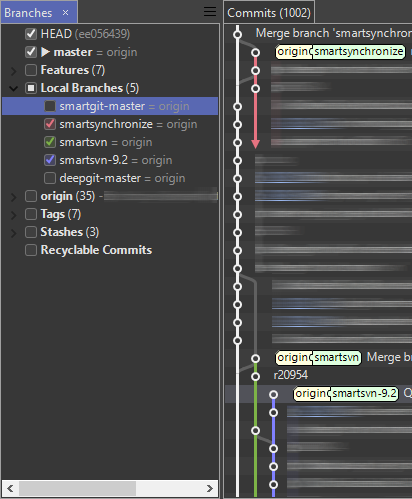
Here comes a first glimpse of the new coloring mode. We plan to release a preview build the next week.
Ctrl+click is a bad choice because it is used in a tree-control like the Branches view to toggle selection. I know that in some text editors it is used to open links, but a text editor is something different than a tree control.
Please try the context menu of the "Commits" view, not the "Files" view.
Does Eclipse documentation automatically occurs like a tooltip or is it triggered by a shortcut as in IDEA?
Please note that some commit messages in some repositories are indeed whole documents. Having a tooltip cover the whole screen seems not useful for me.
Just start typing the repository name.
The fonts and sizes are defined by the operating system.
The 18.1 preview will start soon.
Customer support service by UserEcho


Feel free to give it a try at SmartGit 18.1 preview.